Category: Wanza AI

  • From Side Hustle to Scalable Store: 7 Steps to Launching Your First Online Business

    From Side Hustle to Scalable Store: 7 Steps to Launching Your First Online Business

    The dream of turning a passion project or a clever idea into a thriving online business is more accessible than ever before. What often starts as a side hustle, a way to earn a little extra cash, can blossom into a full-fledged, scalable enterprise. But the journey from initial spark to sustainable success requires a clear roadmap.

    If you’re ready to move beyond the occasional sale and build a robust online store, these seven steps will guide you through the process, setting you up for growth and long-term viability.

    1. Validate Your Idea & Identify Your Niche

    Before investing significant time and resources, ensure your product or service has a market.

    • Problem/Solution Fit: What problem does your offering solve? Is there a clear demand for your solution?
    • Target Audience: Who are you trying to reach? Define your ideal customer – their demographics, interests, pain points, and purchasing habits.
    • Competitive Analysis: Who else is in this space? What are they doing well, and where are their gaps? This helps you identify your unique selling proposition (USP).
    • Market Research: Use tools like Google Trends, social media listening, and surveys to gauge interest and identify underserved niches. Starting small and focused can lead to greater success than trying to appeal to everyone.

    2. Craft a Strong Brand Identity

    Your brand is more than just a logo; it’s the essence of your business – its personality, values, and how it makes customers feel.

    • Name & Slogan: Choose a memorable, relevant, and easy-to-pronounce name. A catchy slogan can communicate your value proposition quickly.
    • Visual Identity: Develop a cohesive visual style, including a logo, color palette, and typography. Consistency across all platforms builds recognition and trust.
    • Brand Story: What’s the narrative behind your business? People connect with stories, not just products.
    • Tone of Voice: How will your brand communicate? Is it playful, professional, inspiring, or educational?

    3. Choose Your E-commerce Platform

    The right platform is the backbone of your online store. Consider ease of use, scalability, features, and budget.

    • Shopify: Popular for its user-friendliness, extensive app store, and scalability. Great for beginners and established businesses alike.
    • WooCommerce (WordPress): Offers flexibility and control if you’re comfortable with WordPress, but requires more technical know-how.
    • Etsy: Ideal for handcrafted goods and vintage items, but less control over branding and customer experience.
    • Squarespace/Wix: Good for smaller stores or those prioritizing design simplicity.
    • Features to look for: Payment gateways, inventory management, shipping integrations, SEO capabilities, and customer support.

    4. Develop Your Product/Service Offering

    This is where your idea comes to life.

    • Sourcing/Creation: If you’re selling physical products, decide how you’ll source or create them. Consider dropshipping, manufacturing, or crafting by hand.
    • Pricing Strategy: Research competitor pricing and factor in your costs (materials, labor, shipping, marketing) to determine a profitable and attractive price point.
    • Product Photography & Descriptions: High-quality visuals are crucial for online sales. Write compelling, benefit-driven product descriptions that answer potential customer questions.
    • Inventory Management: Set up systems to track your stock, especially as you scale.

    5. Set Up Your Online Storefront

    Time to build out your digital shop.

    • Website Design: Focus on a clean, intuitive, and mobile-responsive design. Easy navigation and a smooth checkout process are paramount.
    • Essential Pages: Include an “About Us” page, contact information, FAQ, shipping policy, return policy, and privacy policy.
    • Payment & Shipping: Integrate secure payment gateways and set up clear shipping options and costs.
    • Testing: Thoroughly test every aspect of your store – from product browsing to checkout – before launching.

    6. Drive Traffic to Your Store

    A beautiful store is useless without visitors.

    • Search Engine Optimization (SEO): Optimize your product titles, descriptions, and website content with relevant keywords to rank higher in search results.
    • Social Media Marketing: Identify platforms where your target audience hangs out and create engaging content. Consider paid ads for targeted reach.
    • Content Marketing: Start a blog, create videos, or produce other valuable content that attracts and educates your audience.
    • Email Marketing: Build an email list from day one and nurture leads with valuable content, promotions, and updates.
    • Paid Advertising: Explore Google Ads, social media ads (Facebook, Instagram, Pinterest), and influencer marketing.
    • Public Relations: Seek out opportunities for media mentions or collaborations.

    7. Launch, Learn, and Scale

    The launch is just the beginning.

    • Soft Launch: Consider a soft launch to a small audience to iron out any kinks before a broader announcement.
    • Monitor Analytics: Track website traffic, conversion rates, popular products, and customer behavior. Tools like Google Analytics are
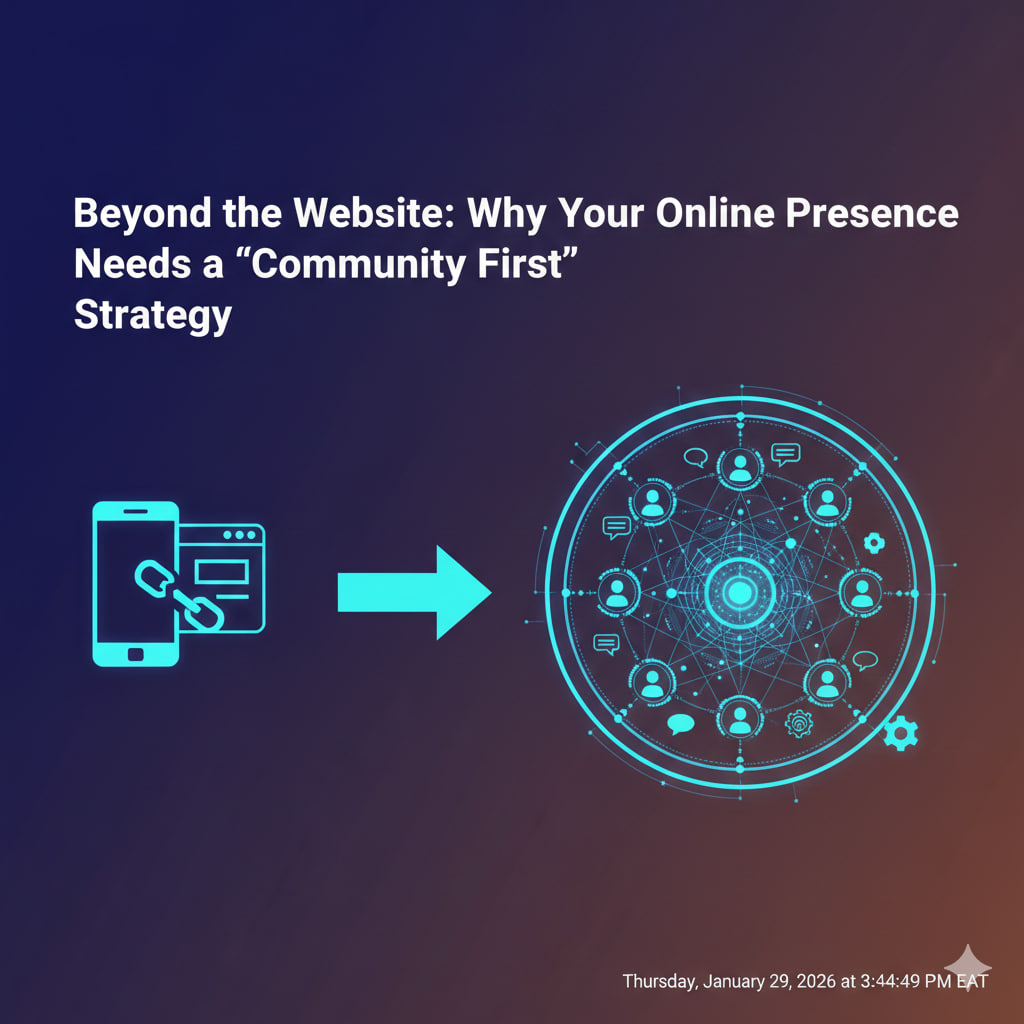
  • Beyond the Website: Why Your Online Presence Needs a ‘Community First’ Strategy

    Beyond the Website: Why Your Online Presence Needs a ‘Community First’ Strategy

    In the early days of the internet, having a website was enough to establish an online presence. Then came social media, making it crucial to be where your audience was. But in 2026, the game has evolved once more. Simply existing on various platforms isn’t enough; true digital success hinges on cultivating a ‘Community First’ strategy.

    This isn’t just about collecting followers or likes; it’s about building genuine connections, fostering a sense of belonging, and creating a loyal ecosystem around your brand or purpose. Your website might be your home base, but your community is your thriving neighborhood.

    The Shifting Sands of Online Engagement

    Traditional marketing often focuses on broadcasting messages to an audience. The “Community First” approach flips this, emphasizing interaction, shared values, and empowering your audience to connect with each other and with you.

    Here’s why this shift is non-negotiable for a robust online presence:

    1. The Decline of Algorithmic Reach (and the Rise of Direct Connection)

    Social media algorithms are notoriously fickle. Organic reach for businesses continues to dwindle, making it harder to consistently connect with your audience without paid promotion. A strong community, however, creates its own gravitational pull. When members feel a sense of ownership and belonging, they actively seek out and engage with your content, bypassing algorithmic gatekeepers. They become your most potent advocates.

    2. Building Unshakeable Loyalty and Trust

    In an age of endless choices and digital noise, trust is the ultimate currency. A community built on shared interests and genuine interaction fosters deep trust. When people feel heard, valued, and connected to others who share their passion, their loyalty transcends mere transactions. They become evangelists, defending your brand and bringing new members into the fold.

    3. Invaluable Feedback and Innovation Hub

    Your community is a living, breathing focus group. They’re on the front lines, using your products, consuming your content, and facing the problems you aim to solve. By actively listening and engaging with your community, you gain unparalleled insights into their needs, desires, and pain points. This direct feedback loop can fuel product development, content creation, and strategic pivots, leading to truly customer-centric innovation.

    4. Amplified Reach and Organic Virality

    When your community is vibrant and engaged, they become your most effective marketing channel. Members are far more likely to share your content, recommend your brand to friends, and discuss your offerings in their own networks. This organic amplification is more credible and far-reaching than any paid advertisement, creating a powerful ripple effect that expands your presence authentically.

    5. Creating a Differentiated Experience

    In competitive markets, simply offering a great product or service isn’t enough. A thriving community offers a unique value proposition that competitors struggle to replicate. It provides an exclusive space for members to connect, learn, and grow together, making your brand an indispensable part of their lives. This differentiates you beyond features and price.

    How to Implement a ‘Community First’ Strategy

    Shifting to a community-first approach requires intentional effort. Here are key steps:

    • Choose the Right Platforms: Don’t just go where everyone else is. Go where your ideal community members naturally congregate. This could be a dedicated forum, a Discord server, a private Facebook/LinkedIn group, a subreddit, or even a highly active comment section on your blog or YouTube channel.
    • Define Your Community’s Purpose: What brings your members together? Is it a shared hobby, a professional interest, a specific problem they’re solving, or a common value? Clearly articulate this purpose to attract the right people.
    • Actively Engage and Facilitate: Don’t just create a space and walk away. Be present, ask questions, respond to comments, celebrate member achievements, and facilitate introductions. Your role is often that of a host and facilitator.
    • Empower Your Members: Give your community opportunities to lead, share, and contribute. User-generated content, member spotlights, and opportunities for peer-to-peer support are powerful tools.
    • Provide Exclusive Value: Offer your community something special – early access to products, exclusive content, Q&A sessions, special discounts, or private events. Make them feel like VIPs.
    • Establish Clear Guidelines: To ensure a positive and respectful environment, set clear community rules and moderate consistently.
    • Integrate with Your Website: While the community might live elsewhere, ensure your website seamlessly links to and promotes your community spaces. Your website is still your anchor; your community is your expansive territory.

    In 2026, your online presence isn’t just about what you say on your website or social media profiles. It’s about the conversations you spark, the relationships you nurture, and the collective spirit you cultivate. By putting your community first, you’re not just building an audience; you’re building a movement.

  • Is Your Data Safe? 5 Critical Cybersecurity Habits for Every Solopreneur

    Is Your Data Safe? 5 Critical Cybersecurity Habits for Every Solopreneur

    As a solopreneur, you are the CEO, the marketing department, and—crucially—the Chief Information Security Officer. In 2026, cyber threats have evolved. With AI-powered phishing and “Agentic” malware on the rise, a simple password is no longer a sufficient shield. Your data isn’t just a list of files; it’s your reputation and your livelihood.

    To keep your digital storefront secure, you need to move beyond basic antivirus. Here are five non-negotiable cybersecurity habits to adopt today.

    1. Adopt Phishing-Resistant MFA (Move Beyond SMS)

    By now, everyone knows Multi-Factor Authentication (MFA) is essential. However, in 2026, standard SMS-based codes are vulnerable to “SIM swapping” and interception.

    • The Habit: Switch to phishing-resistant MFA such as hardware security keys (like YubiKeys) or biometric passkeys (FaceID/Fingerprint).
    • Why it matters: These methods ensure that even if a hacker steals your password, they cannot access your accounts without physical or biometric proof that only you possess.

    2. Practice “Zero-Trust” Connectivity

    The days of trusting a coffee shop’s “Guest Wi-Fi” are long gone. In 2026, “Man-in-the-Middle” attacks are highly sophisticated, often using AI to spoof legitimate networks.

    • The Habit: Never conduct business on a public network without a high-quality Virtual Private Network (VPN). Better yet, use a dedicated mobile hotspot.
    • Pro Tip: Treat your home network with the same suspicion. Segment your “smart home” devices (like smart bulbs or speakers) onto a separate guest network so a breach in a lightbulb doesn’t lead to your business banking.

    3. Implement Immutable Backups

    Ransomware in 2026 doesn’t just encrypt your data; it often targets your backups first to ensure you have no choice but to pay.

    • The Habit: Use the 3-2-1-1 Rule: 3 copies of your data, on 2 different media, with 1 copy offsite, and 1 copy that is “Immutable” (unchangeable).
    • What is it? Immutable storage prevents anyone—including you or a piece of malware—from deleting or altering the data for a set period. If you get hit by ransomware, you simply “roll back” to the uncorrupted version.

    4. Sanitize Your AI Prompts

    Solopreneurs are the biggest adopters of AI agents to handle admin and coding. However, “Data Leakage” through AI prompts is a leading cause of accidental breaches in 2026.

    • The Habit: Never paste sensitive client data, proprietary code, or personal identification into a public AI tool.
    • The Fix: Use enterprise-grade AI versions that offer Data Privacy Guarantees, ensuring your inputs aren’t used to train the global model, or use “anonymization” tools to scrub sensitive details before hitting enter.

    5. Patch Like a Pro (Automate Everything)

    Hackers in 2026 move at the speed of light. Once a vulnerability is discovered in a common tool like WordPress or Zoom, “exploit bots” scan the entire internet for unpatched versions within minutes.

    • The Habit: Enable Automatic Updates for every single piece of software you use—operating systems, browsers, and especially plugins.
    • The Reality: A “best effort” manual update schedule is no longer enough. If you aren’t patching automatically, you’re leaving the door wide open for automated attacks.

    Summary Checklist for 2026

    HabitLevel Up
    AuthenticationReplace SMS codes with Passkeys.
    NetworkUse a VPN or mobile hotspot exclusively.
    BackupsEnsure one copy is Cloud-Immutable.
    AI UsageUse Privacy-First AI models for business.
    UpdatesTurn on Auto-Update for all apps.
  • Stop Wasting Time: The Top 10 Productivity Tools to Automate Your Daily Workflow

    Stop Wasting Time: The Top 10 Productivity Tools to Automate Your Daily Workflow

    In today’s fast-paced world, time is a non-renewable resource, and for solopreneurs, small business owners, and busy professionals, every minute counts. The good news is that you no longer need to spend countless hours on repetitive tasks. The rise of sophisticated automation tools means you can reclaim your day, boost efficiency, and focus on what truly matters: growth, creativity, and strategic thinking.

    This isn’t about working harder; it’s about working smarter. By leveraging the right technology, you can automate mundane tasks, streamline communication, and turn chaotic workflows into smooth, productive systems.

    Here are the top 10 productivity tools to supercharge your daily routine and stop wasting time:

    1. Zapier (or Make.com) – The Ultimate Integrator

    What it does: Connects virtually all your apps and automates workflows between them. Think of it as the digital glue for your entire tech stack. How it saves time: Automatically move data between your CRM, email marketing, project management, and accounting software. For instance, a new lead in your CRM can automatically trigger an email sequence, create a task in your project manager, and add a row to a Google Sheet. Why it’s a must-have: Eliminates manual data entry and ensures seamless information flow across your business.

    2. Calendly (or Acuity Scheduling) – Intelligent Scheduling

    What it does: Automates the process of booking meetings, calls, and appointments. How it saves time: No more back-and-forth emails trying to find a suitable time. Simply share your Calendly link, and clients or colleagues can see your real-time availability and book a slot directly into your calendar. Why it’s a must-have: Streamlines appointment setting, reduces no-shows with automated reminders, and frees up significant administrative time.

    3. Asana (or Trello/ClickUp) – Project & Task Management

    What it does: Organizes projects, tracks tasks, sets deadlines, and facilitates team collaboration (even if your “team” is just you and a virtual assistant). How it saves time: Provides a clear overview of all your responsibilities, preventing forgotten tasks and missed deadlines. Automate recurring tasks and create templates for common projects. Why it’s a must-have: Keeps your work structured, ensures accountability, and makes complex projects manageable.

    4. LastPass (or 1Password) – Password Management

    What it does: Securely stores all your passwords and other sensitive information, generating strong, unique passwords for every account. How it saves time: Eliminates the need to remember or reset countless passwords. Auto-fills login details, speeding up access to all your online tools. Why it’s a must-have: Essential for cybersecurity and saves immense time and frustration from forgotten credentials.

    5. Grammarly (or ProWritingAid) – Writing Assistant

    What it does: Checks your writing for grammar, spelling, punctuation, clarity, engagement, and delivery. How it saves time: Catches errors before you hit send or publish, saving time on proofreading and preventing embarrassing mistakes. It also offers suggestions for conciseness and style. Why it’s a must-have: Ensures professional and effective communication across all written content, from emails to blog posts.

    6. Buffer (or Hootsuite) – Social Media Management

    What it does: Schedules and publishes your social media content across multiple platforms from a single dashboard. How it saves time: Plan your social media content in advance, automate posting at optimal times, and analyze performance without manually logging into each platform. Why it’s a must-have: Maintains a consistent social media presence without constantly interrupting your workflow.

    7. Otter.ai (or Descript) – AI Transcription & Meeting Summarizer

    What it does: Records and transcribes meetings, interviews, and dictations in real-time, often providing AI-generated summaries and action items. How it saves time: Eliminates the need for meticulous note-taking during calls. Allows you to focus on the conversation, knowing a detailed transcript and summary will be available afterward. Why it’s a must-have: Great for content creation, documenting client interactions, and ensuring you never miss a key detail from a conversation.

    8. Loom (or Vidyard) – Video Messaging & Screen Recording

    What it does: Quickly records your screen, webcam, or both, allowing you to create short video messages and tutorials. How it saves time: Replaces lengthy email explanations or multiple back-and-forth messages. Visually explain complex ideas, provide feedback, or onboard new clients more effectively and efficiently. Why it’s a must-have: Improves communication clarity and speed, especially for technical instructions or personalized messages.

    9. Google Workspace (or Microsoft 365) – Collaborative Cloud Suite

    What it does: Offers integrated tools like email (Gmail/Outlook), document creation (Docs/Word), spreadsheets (Sheets/Excel), presentations (Slides/PowerPoint), and cloud storage (Drive/OneDrive). How it saves time: Provides a centralized, collaborative environment for all your essential documents and communications. Automatic saving, real-time collaboration, and easy sharing are standard. Why it’s a must-have: The foundational suite for modern business operations, ensuring accessibility and seamless teamwork.

    10. RescueTime (or Toggl Track) – Time Tracking & Analysis

    What it does: Automatically tracks your time spent on applications and websites, providing detailed reports on your productivity. How it saves time: Identifies where your time is actually going, helping you pinpoint distractions and areas for improvement. You can then use this data to make informed decisions about your workflow and schedule. Why it’s a must-have: Creates awareness of your time usage, enabling you to optimize your focus and allocate time more effectively.


    By integrating even a few of these tools into your daily workflow, you’ll be amazed at how much time you can reclaim. Stop letting repetitive tasks dictate your day, and start leveraging automation to build a more productive, efficient, and enjoyable work life.

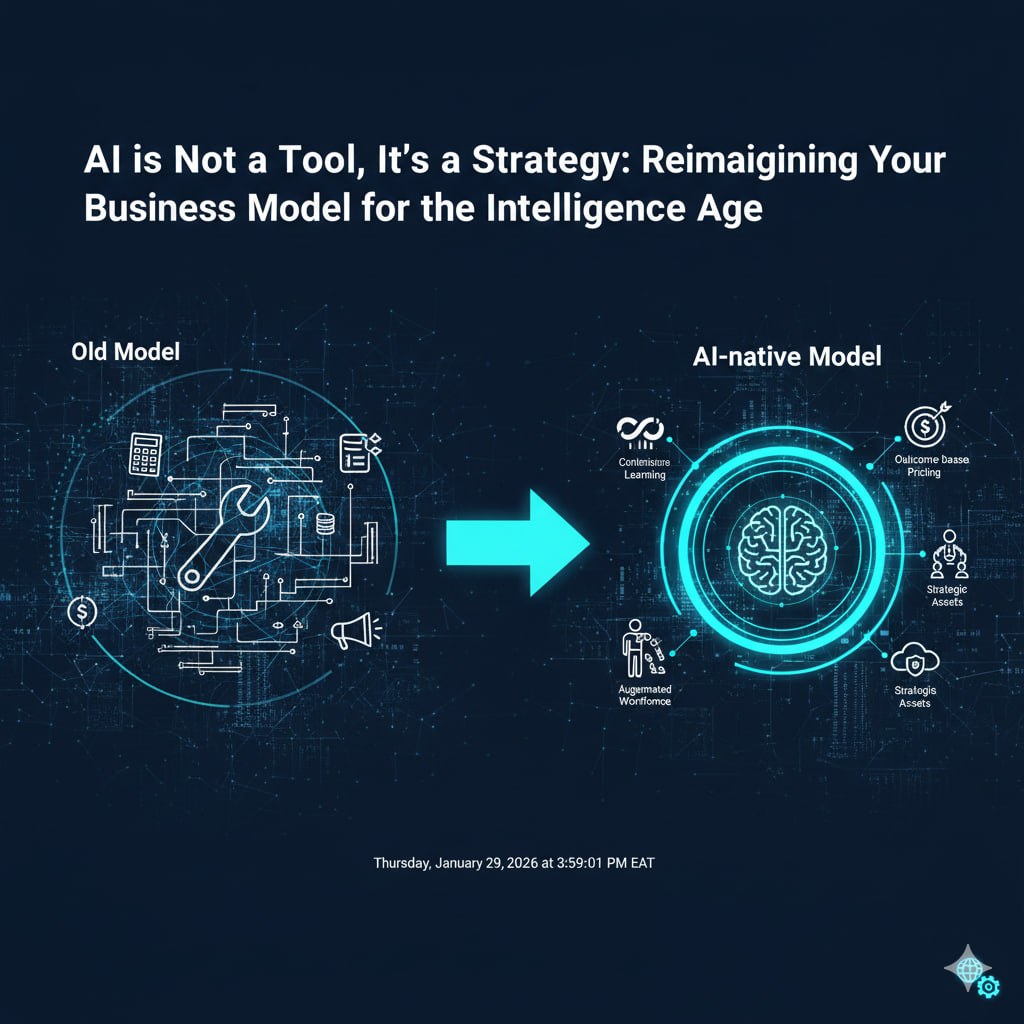
  • AI is Not a Tool, It’s a Strategy: Reimagining Your Business Model for the Intelligence Age

    AI is Not a Tool, It’s a Strategy: Reimagining Your Business Model for the Intelligence Age

    In the early days of personal computing, owning a word processor was a tool; digitizing your entire document workflow was a strategy. Similarly, in 2026, many businesses view Artificial Intelligence as a mere efficiency tool—something to automate customer service or generate marketing copy. But this perspective fundamentally misses the point.

    AI is not just a tool; it’s a foundational strategic imperative. To truly thrive in the Intelligence Age, businesses must stop asking, “How can we use AI?” and start asking, “How does AI force us to reimagine our entire business model?”

    This isn’t about incremental improvements; it’s about a fundamental shift in how value is created, delivered, and captured.

    The Shift from “Optimization” to “Transformation”

    For the past few years, AI implementations have largely focused on optimization:

    • Customer Service: AI chatbots handle FAQs.
    • Marketing: AI generates ad copy variations.
    • Operations: AI streamlines supply chain logistics.

    While valuable, these are tactical applications. A strategic view of AI challenges the core assumptions of your business:

    1. From Product-Centric to “Intelligence-Centric” Offerings

    • Old Model: You sell a product (e.g., a software platform, physical device).
    • AI-Native Model: You sell intelligence embedded within or derived from your product. The product becomes a data capture and delivery mechanism for the core AI service.
    • Example: A fitness tracker is a product. An AI-powered personal health coach that continuously optimizes workouts, sleep, and nutrition based on biometric data, and evolves with you, is an intelligence-centric offering.

    2. Redefining Value Creation: Where is the “Moat”?

    • Old Model: Value derived from proprietary hardware, intellectual property, or traditional network effects.
    • AI-Native Model: Value is created through proprietary data + superior algorithms + continuous learning loops. Your competitive moat is your ability to accumulate unique data and train AI models that outperform competitors.
    • Example: A traditional bank sells financial products. An AI-native financial advisor uses vast, anonymized transaction data to predict market shifts, personalize investment advice at scale, and even anticipate customer needs before they arise, offering unparalleled value.

    3. New Revenue Models: From Subscriptions to “Outcome-Based” Pricing

    • Old Model: Selling licenses, subscriptions, or one-off products.
    • AI-Native Model: AI enables entirely new pricing structures. If your AI guarantees a specific outcome (e.g., “reduce energy consumption by 15%,” “increase sales conversions by 5%”), you can move to outcome-based pricing, taking a share of the value created.
    • Example: Instead of selling a marketing automation platform (subscription), an AI-driven growth agency charges a percentage of the additional revenue their AI generates for clients.

    4. The Augmented Workforce: Humans and AI as a Seamless Unit

    • Old Model: AI replaces human tasks.
    • AI-Native Model: AI augments human capabilities, allowing teams to operate at a superhuman level. It’s about synergy, not substitution.
    • Example: Instead of replacing customer service agents, AI agents handle routine inquiries and distill complex problems into actionable summaries, empowering human agents to focus on high-value, empathetic interactions.

    5. Strategic Data as Your Most Valuable Asset

    • Old Model: Data is a byproduct, often siloed and underutilized.
    • AI-Native Model: Data is a strategic asset, consciously collected, structured, and leveraged to fuel AI models. Data strategy becomes central to business strategy.
    • Example: A manufacturing company moves from collecting basic sensor data to implementing a comprehensive “digital twin” strategy, where AI continuously simulates and optimizes production, predicts failures, and designs new products based on real-time feedback loops.

    Building Your AI-Native Business Model: A Strategic Imperative

    To make this shift, businesses must:

    1. Conduct an AI Readiness Audit: Assess your current data infrastructure, talent, and existing AI capabilities.
    2. Identify “AI-First” Value Propositions: Where can AI fundamentally transform how you deliver value to customers, not just optimize existing processes?
    3. Invest in Data Strategy: Prioritize data collection, cleaning, and structuring. Your AI’s intelligence is only as good as your data.
    4. Foster an AI-Literate Culture: Train your workforce. Everyone, from sales to product development, needs to understand AI’s potential and limitations.
    5. Start Small, Think Big: Experiment with AI in core areas, learn quickly, and be prepared to iterate and scale transformational initiatives.

    The companies that succeed in the Intelligence Age will be those that view AI not as a feature to be added, but as the operating system for their entire enterprise. It’s time to stop tweaking your existing model and start building the AI-native business of tomorrow.