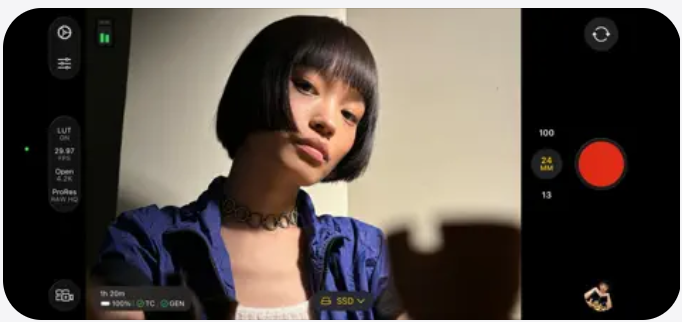
FCC :-Whether you’re a seasoned pro or a casual creator, Final Cut Camera turns your iPhone into a professional cinema rig. Since it integrates directly with Final Cut Pro for iPad (via Live Multicam) and provides manual control over every pixel, your content should highlight that “pro-sumer” power.
Here are a few content ideas tailored for different platforms and skill levels:
1. The “Cinema Secret” (Short-Form / Reels / TikTok)
Hook: “Stop letting your iPhone’s ‘Auto’ mode ruin your footage.”
- The Content: Do a split-screen comparison. On the left, show standard iPhone camera footage (where the exposure jumps and the focus hunts). On the right, show Final Cut Camera footage with locked focus and manual ISO.
- Key Feature to Highlight: Focus Peaking. Show the screen with those bright green lines highlighting the subject.
- The Vibe: Fast-paced, educational, and high-quality.
2. Live Multicam Workflow (YouTube / Long-Form)
Title: I Filmed a 4-Camera Podcast with Just iPhones.
- The Content: Show the “behind the scenes” of connecting multiple iPhones running Final Cut Camera to a single iPad.
- The “Wow” Factor: Demonstrate how you can adjust the zoom and exposure of the remote cameras directly from the iPad screen.
- Value Add: Explain how this saves hours of syncing in post-production because the angles are already aligned.
3. The “Director’s Setup” (Educational / Carousel)
Topic: The Best Manual Settings for Cinematic Video.
Create a guide or video walkthrough of the essential settings within the app:
- Shutter Speed: Explain the 180-degree rule. (e.g., if filming at 24fps, set shutter to 1/48 or 1/50).
- White Balance: Show how to use a gray card to get consistent skin tones.
- Color Space: Explain why filming in Log (on iPhone 15 Pro/16 Pro) is a game-changer for color grading.
Technical Specs Cheat Sheet
If you’re writing a blog post or caption, use this table to show what the app actually offers:
Leave a Reply